
Learning in the Open: Inclusive QR Journeys for Everyone

Step outside and explore how Accessibility and Inclusive Design for QR-Based Outdoor Education empowers every learner to connect with nature, culture, and community. We’ll unpack practical strategies, inspiring stories, and ready-to-apply methods that reduce barriers, welcome diverse abilities, and turn any outdoor space into a playful, safe, and meaningful classroom. Join in, ask questions, and share your experiences, so together we keep improving, iterating, and celebrating equitable learning beyond four walls.

Foundations for Equitable Outdoor QR Learning

Start with the promise that every person, regardless of ability, device, language, or familiarity with technology, can participate fully in QR-supported outdoor learning. Ground decisions in empathy, research, and continuous testing with real people in real environments. Blend universal design principles with ecological context, remembering that uneven paths, glare, weather, and noise shape success. Invite feedback early and often, and treat accessibility not as a checklist, but as an ongoing relationship with your learners’ lived realities.

Multimodal Content That Meets Every Learner

Design content layers that adapt to preferences, devices, and sensory needs. Offer succinct text, plain language summaries, and extended explanations for deeper dives. Provide rich audio with transcripts, high-contrast visuals with alt text, and optional sign language. Avoid auto-play and give control over speed, volume, and color schemes. The goal is flexible entry points and equitable comprehension, where each person chooses how to engage meaningfully, without pressure or confusion getting in the way of curiosity.

Wayfinding and Physical Access Outdoors

Great content still fails if people cannot find or safely reach it. Think beyond maps: use tactile paths, large arrows, and consistent iconography that becomes familiar across the journey. Consider slope, ground texture, and seating near each QR location. Provide shade, lighting, and clear refuge from weather. Pair digital directions with physical cues and offer alternative formats at every step. Always test at different times of day, with different bodies, in different conditions.

01

Contrast, placement, and tactile cues

Give signs strong color contrast and ample white space, and mount them within reach for seated users without requiring awkward stretching. Add Braille or raised lettering where feasible, plus tactile arrows that guide fingers toward a code. Plant posts securely to avoid wobble. Avoid placing codes behind bushes or across uneven rocks. These small decisions reduce effort, conserve energy, and communicate an unspoken message: you are anticipated, welcomed, and supported throughout the experience.

02

Maps, beacons, and offline hints

Use step-counting directions, simple landmark references, and downloadable maps that work without reception. Consider Bluetooth beacons where appropriate, but never rely solely on them. Provide text-only route summaries and high-contrast map versions. Place reassurance markers along longer paths, and include emergency contact info plus location identifiers. Build redundancy: QR, NFC, short URL, and printed instructions. When one method fails, another should easily succeed, safeguarding both safety and confidence for independent exploration.

03

Weatherproof and durable installations

Outdoor learning meets sun, rain, snow, and curious wildlife. Use UV-resistant inks, anti-glare laminates, rounded edges, and vandal-resistant fixtures. Re-check scannability after storms, snowmelt, or seasonal growth. Include a maintenance checklist and a reporting form by code or SMS. Share updates transparently so visitors know issues are heard and fixed. Durability is not just cost-saving—it protects continuity, inclusion, and the simple dignity of arriving and finding everything dependable and ready.
Low-bandwidth design and smart caching
Prioritize text and audio over heavy video; use adaptive streaming and downloadable packs for trails. Preload essentials on first scan, so moving between stops feels instant even without coverage. Provide a progress bar and clear file sizes. When assets fail, present a resilient fallback: text summary, still images, or a phone line with automated audio. Make it easy to continue learning while conserving data, energy, and attention in the field.

Device diversity and assistive compatibility

Support older operating systems and a range of screen sizes. Validate layouts with pinch-zoom and large system fonts. Add semantic HTML, ARIA labels, and descriptive button names that make sense when heard aloud. Ensure QR landing pages honor screen reader focus and skip-to-content links. Test with switch control, voice control, and external keyboards. Invite users to report compatibility issues, then publish fixes transparently, building trust through steady, attentive responsiveness.

Culturally Responsive and Multilingual Approaches

Place matters. Honor Indigenous stewardship, local histories, and community voices. Offer multiple languages and dialects, and reflect regional metaphors and knowledge. Invite cultural advisors and storytellers to review narratives for accuracy and respect. Avoid extractive storytelling; instead, co-create content that benefits communities and learners alike. Multilingual signage, flexible navigation, and layered stories help families, tourists, and locals find belonging, learning, and joy in shared public spaces.

Local stories and community knowledge

Gather narratives from park rangers, elders, youth leaders, artists, and historians. Credit contributors prominently and invite updates that keep stories living and relevant. When sensitive topics arise, consult community guidance and provide content warnings with alternatives. Pair scientific facts with cultural interpretations to deepen meaning. Encourage visitors to submit reflections in their own words, celebrating multiple truths that coexist on the same trail, bridge, shoreline, or grove.

Multiple languages and dialects

Present language choices upfront without burying them in menus. Use human translation where possible, and clearly label machine-assisted versions when used. Offer audio options recorded by native speakers to honor rhythm, humor, and nuance. Keep UI consistent across languages, and let visitors switch without losing progress. Invite community reviewers to propose idiomatic improvements, ensuring phrasing feels welcoming, relevant, and dignified across varied backgrounds and reading levels.

Intergenerational, family-friendly challenges

Design scavenger tasks and reflection prompts that feel fun for kids and meaningful for adults. Provide adjustable difficulty, visual supports, and safety tips. Encourage cooperative roles—listener, spotter, navigator—so each person contributes. Include quieter sensory moments and energetic movement options. Share printable versions for those who prefer analog methods. Ask families to post suggestions or photos, with clear consent guidance, to inspire other groups exploring together at their own pace.

Motivation, Assessment, and Feedback Loops
Assessment can motivate without excluding. Offer choice-driven paths, reflective questions, and gentle check-ins that celebrate progress rather than punish mistakes. Use badges and collections as playful markers, not gatekeepers. Provide anonymous feedback options and routinely close the loop by announcing changes based on what you heard. This cycle—listen, adapt, share—cultivates trust and keeps outdoor learning lively, responsive, and genuinely learner-led.

Choice-based challenges and badges

Provide multiple ways to demonstrate understanding: a photo of a habitat detail, a short audio reflection, or a quick identification quiz. Make badges descriptive—what was learned—rather than merely gamified counts. Offer accessible alternatives to time-based challenges. Encourage peer recognition by inviting visitors to comment respectfully on shared artifacts, celebrating creativity, curiosity, and stewardship rather than speed or competition that can quietly exclude.

Formative check-ins that include everyone

Replace high-pressure quizzes with friendly prompts, interactive story branches, and self-paced explorations. Keep inputs simple: tap choices, voice notes, or short text. Ensure screen reader clarity and visible focus outlines. Provide immediate, constructive feedback paired with encouragement and next steps. Let groups discuss offline and submit later when bandwidth improves. This compassionate rhythm helps learners feel seen, respected, and genuinely excited to continue discovering.

Practical Craft: QR Design, Content Ops, and Maintenance

Beyond vision, success relies on disciplined craft: code size, contrast, hosting resilience, and content governance. Standardize templates, test in sunlight, and version everything. Build a maintenance calendar and train volunteers to spot issues. Keep emergency replacements handy. Treat content as living—retire outdated parts and add seasonal stories. When operations hum smoothly, the learning experience feels effortless, generous, and trustworthy, even months after the ribbon cutting and first enthusiastic scans.

Field Pilots and Lessons Learned

Real places teach what documents cannot. Pilot in varied environments—urban parks, coastal trails, botanical gardens, schoolyards—and invite a broad mix of participants. Measure not just completion but comfort, joy, and belonging. Celebrate missteps as data. Share case notes, before-and-after photos, and community endorsements. Then invite readers to propose new locations, sign up for updates, or volunteer for testing days that keep the practice grounded, generous, and always improving.

Mixed-ability park trail experience

A pilot along a lakeside loop paired high-contrast QR plaques with audio stories and easy read summaries. Wheelchair users highlighted the value of shaded resting spots near each stop. Blind hikers appreciated tactile arrows guiding fingers to codes. Families loved offline bundles when reception dropped. The biggest lesson: redundancy wins. Multiple access pathways, tested under wind and glare, transformed a scenic stroll into a welcoming classroom for everyone.

School partnership in a museum garden

Middle-schoolers collaborated with Deaf mentors and elders to co-author plant stories in multiple languages. Students filmed signed introductions, wrote plain-language leaflets, and recorded audio in their home dialects. Teachers reported improved participation from learners who rarely spoke up indoors. Attendance rose on family days, and community gardeners offered seasonal updates. The key: shared ownership and culturally grounded narratives made learning feel like an invitation, not an assignment graded from afar.

Rural scout program with limited coverage

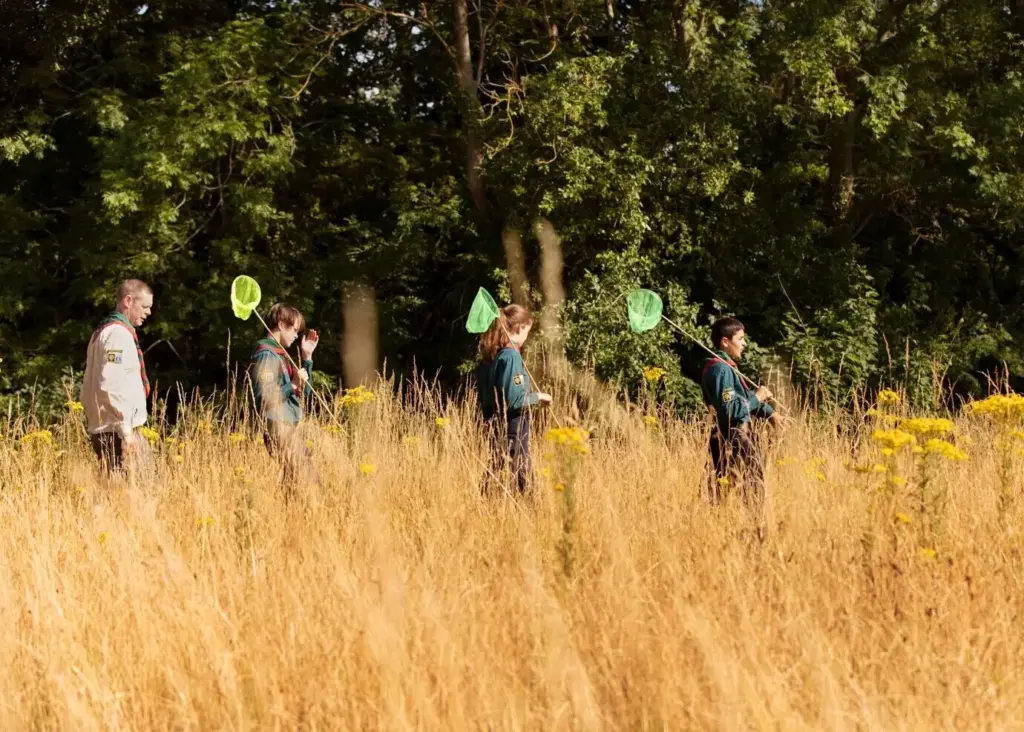
A troop mapped a hillside route using downloadable packs, text-first pages, and printable clues. Spotty service turned from obstacle to adventure, as learners compared plant textures and left voice reflections for later upload. Elders shared land history via phone call hotlines linked from codes. The approach showed how low-tech resilience, respectful storytelling, and simple redundancy can unlock confident participation far from towers, screens, and charging outlets.
Lelukizuvirupi
Privacy Overview

This website uses cookies so that we can provide you with the best user experience possible. Cookie information is stored in your browser and performs functions such as recognising you when you return to our website and helping our team to understand which sections of the website you find most interesting and useful.